


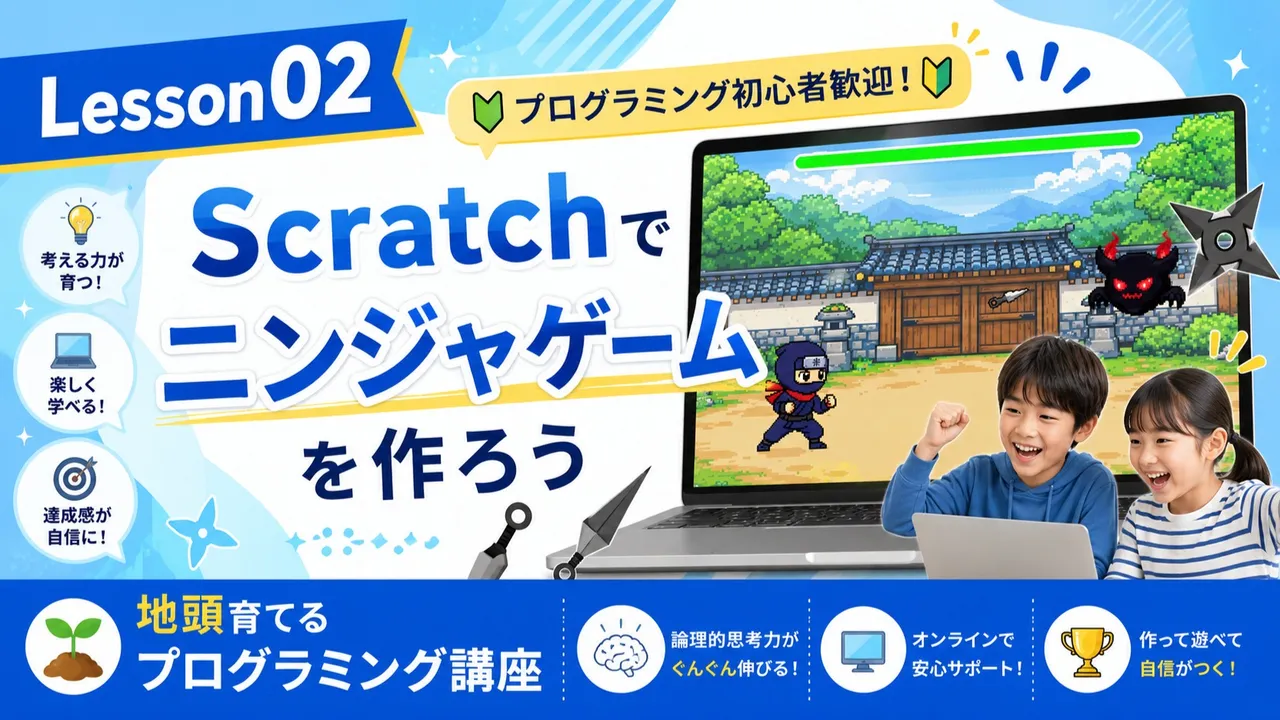
Lesson02 : Scratchでニンジャゲームを作ろう
0
(0)
【Lesson02】 Scratchを使って、簡単なミニゲーム作りにチャレンジします! パソコンにまだ慣れていないお子さんや、プログラミングが初めてのお子さんでも気軽にご参加いただけます。
One Day
9-11
Max 5people
60min
はこ
Reviews
0
💻 授業について
「プログラミングって難しそう…」
「パソコンを触ったことがない」
というお子さまでも大丈夫!
この授業では、大人気のプログラミング学習ツール
『Scratch(スクラッチ)』を使い、
キーボードだけで遊べる楽しい【ニンジャゲーム】を作っていきます。
「自分で作ったゲームが動いた!」という感動を、
一緒に体験してみませんか?
最大5名までの超少人数クラスなので、
一人ひとりのペースに合わせて丁寧に進めていきます。
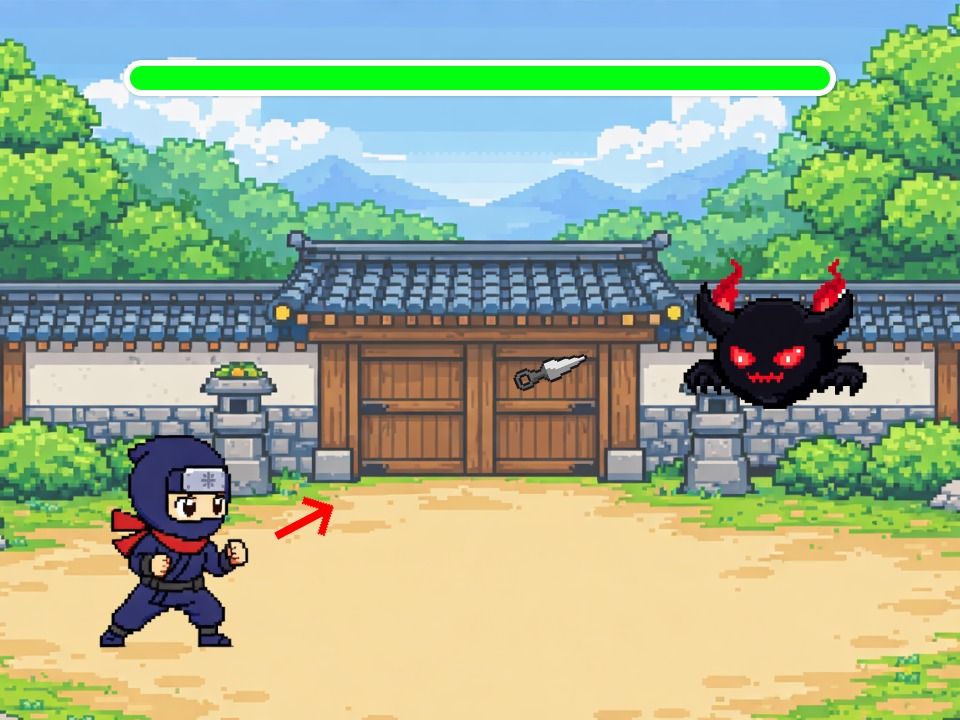
【作成するゲームの画面サンプル】
🎯 この授業で学べること・身につく力
1. パソコン・Scratchの基本操作(クリックやドラッグ&ドロップ)
2. プログラミングの基礎(キャラクターを「動かす」「条件で分ける」仕組み)
3. 論理的思考力
👦プログラミングで育てる「一生モノの地頭力」
実は、9歳〜12歳の小学校高学年時期は、
物事を筋道立てて考える「論理的思考力」の黄金期と言われています。
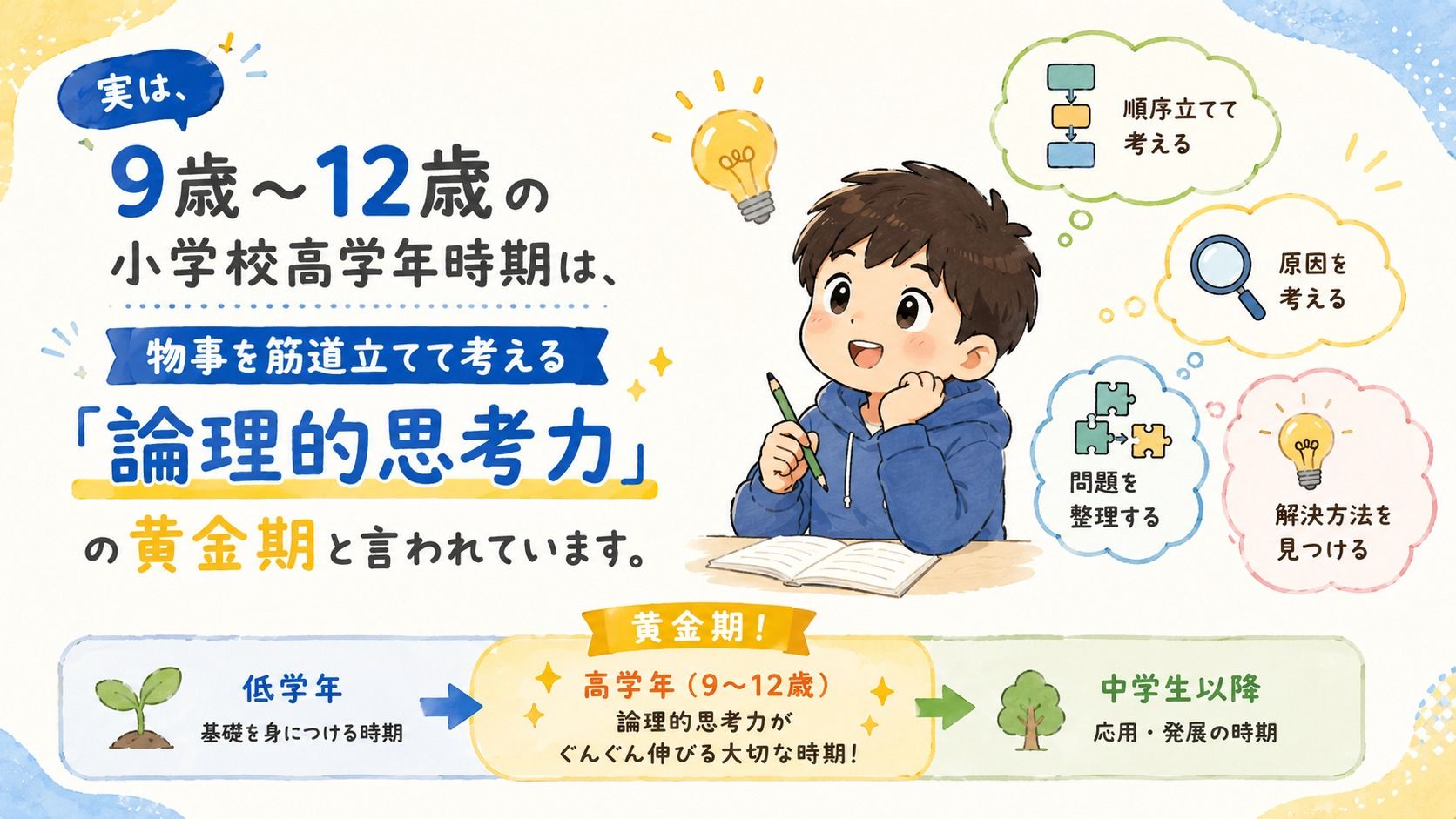
この時期にどのような思考習慣をつけるかが、
将来の学力や問題解決能力の土台を大きく左右します。
小学生のうちからプログラミングを学ぶ最大の魅力は、
単に「パソコンのスキルや技術を身につけること」ではありません。
子どもにとっては夢中になれる楽しいゲーム作りの場ですが、
実はその裏で「子どもの地頭を伸ばす最高の教材」として機能しています。
そのため、私のレッスンでは、
ただ答え(コードの書き方)を教えるような授業はいたしません。
あえて少しつまずきやすいポイント(ミス)を仕掛けたり、
お子様自身に「どうして動かないんだろう?」と
頭をフル回転してもらう時間を意図的に作っています。
プログラミングを通したこの「試行錯誤」の経験こそが、
課題解決能力(自力でエラーの原因を見つける力)
論理的思考力(物事を順序立てて組み立てる力)
創造性(自分のアイデアを形にする表現力)
という、これからの時代を生き抜くために必要な
「地頭力」を爆発的に育てていきます。
「楽しい!」という純粋なワクワクを、
未来を切り拓く最高の学びに変えてみませんか?
お子さまの可能性が大きく広がる瞬間を、ぜひ一緒に見守りましょう!
⏱️ 当日のタイムスケジュール(計60分)
00〜10分:ご挨拶&Scratchの準備
まずはみんなで自己紹介!
画面の見方や基本的な動かし方を優しく説明します。
10〜35分:ニンジャゲームを作ろう!
先生の画面を見ながら、一緒にブロックを組み立てていきます。
「ニンジャ」が魔物(まもの)に向かって
こうげきする仕組みを作ってみましょう!
35〜50分:改造&プレイタイム!
作ったゲームを少しアレンジして、
自分だけのオリジナル要素をプラスします。
50〜60分:まとめ&発表
頑張ったポイントを振り返り、おうちの方へ成果をご報告します。
👤 講師紹介:はこ(濱田翔子)
小学校教諭一種免許状を持ち、
普段は現役のエンジニアとして大人のエンジニア育成にも携わっています。
「むずかしいITの仕組みを、
子ども向けに分かりやすく噛み砕く」のが得意です。
私自身も小学生の子どもを育てる親ですので、
初めてのお子さまもどうぞ安心してご参加ください!
⚠️ ご準備いただくもの
①パソコン(Windows または Mac)
※事前にScratch(無料)のページが開けるかご確認ください。
②Zoomへの接続環境
※授業中は先生の画面(Zoom)と、お子さまのScratch画面を
両方見られる環境(2画面、または画面分割)がおすすめです。
操作に慣れるまでは、保護者様の付き添いをお願いいたします。
③Scratchのアカウント
授業データの共有にあたって、Scartchアカウントが必要となります。
下記よりご登録をお願いいたします。
https://scratch.mit.edu/
Great for These Kids
ゲームが好きなお子さま
まだプログラミングに触れたことがないお子さま
Lesson01の受講が終了しているお子さま
Scratchでのゲーム作りに慣れているお子さま(初心者向け講座のため)
パソコン操作が難しいお子さまの一人受講(初めは保護者の方の補助をお願いします)
One Day Class Information
If you cancel within 48 hours of the scheduled class, a cancellation fee will apply based on the timing of cancellation.
If you cancel more than 48 hours before the scheduled class, a full refund will be issued with no cancellation fee.
To reschedule, please cancel and rebook.
If the teacher cancels the class, you will receive a full refund and any coupons used will be restored.
Teacher Info
Auto-translated to English.
はこ
Reviews
0
"Programming isn't just a skill; it's the innate intelligence that shapes the future." Hello! I'm Haco, a programming instructor. 🌸 After obtaining a first-class elementary school teacher's license at university, I currently work as an active engineer. I also have many years of experience teaching IT and programming to adults at local government vocational training schools. Leveraging my experience as a parent raising elementary school children, I specialize in teaching lessons for children. I've always strived to break down complex IT concepts in an easy-to-understand and enjoyable way. For beginners, I aim to give them the joy of "I did it!" For more advanced children, I want them to experience the fun of bringing their own ideas to life. I provide careful support, tailoring my approach to each individual student's pace. 📌 Main Teaching Experience * IT and programming instruction at municipal vocational training schools (extensive experience teaching adults) * Teaching approaches tailored to developmental stages, based on a Class 1 Elementary School Teacher's License * Teaching know-how to restructure specialized content in an easy-to-understand way for beginners * Diverse lecture experience on online learning platforms 📝 Teaching Philosophy My lessons don't simply involve providing code (answers). When a program doesn't work as expected, I emphasize the ability to think for oneself, asking "Why isn't it working?" and engaging in trial and error. By explaining the "path-finding and fixing thinking" method used in professional settings in an easy-to-understand way for children, logical thinking and problem-solving skills that cannot be cultivated through rote memorization will naturally develop. Parents who are worried, "Will my child be able to keep up on their own?", please rest assured. With the solid teaching skills cultivated in adult engineer training courses and a careful approach that empathizes with children's feelings, I will fully support your child's growth! Let's have fun together as we explore the possibilities of programming, expanding your child's potential along the way. I look forward to seeing you in class!
Experience & Activities
·
Four years of experience as an instructor at an online programming school for adults.
·
Worked as an engineer at a major domestic retail company for 5 years.
See Full Teacher Profile
Class Reviews
Growth Reviews for This Class