

![[초3~] 유행하는 쇼츠 따라 만들며 배우는 영상편집 첫걸음!](https://i1.gguge.com/r/teacher/95c20bfe-8d6d-464c-b5fe-2f705dbe4508.jpeg.webp?w=1280)
[초3~] 유행하는 쇼츠 따라 만들며 배우는 영상편집 첫걸음!
0
(0)
📱나도 오늘부터 쇼츠 크리에이터! 요즘 유행하는 유튜브 쇼츠, 직접 만들어 보고 싶었던 친구들 모여라! 원데이 클래스에서는 집에서도 쉽게 만들 수 있는 쇼츠 영상으로 영상 편집하는 방법을 알려줍니다. 쇼츠는 어떻게 시작해야 사람들이 계속 보고 싶어질까요? 재미있는 아이디어를 떠올리고, 짧은 장면을 계획한 뒤 휴대폰으로 직접 촬영해 봅니다. 🎬 재미있는 쇼츠 아이디어를 기획하는 방법 📱 휴대폰으로 영상을 촬영하는 방법 ✂️ 쉽고 재미있는 방법으로 편집까지 40분 후에는 내가 만든 쇼츠 영상 완성!
Per Session
Subscription
10-14
Max 8people
40min
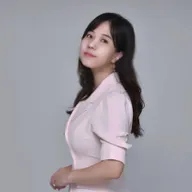
디자이너출신 보은쌤
Reviews
0
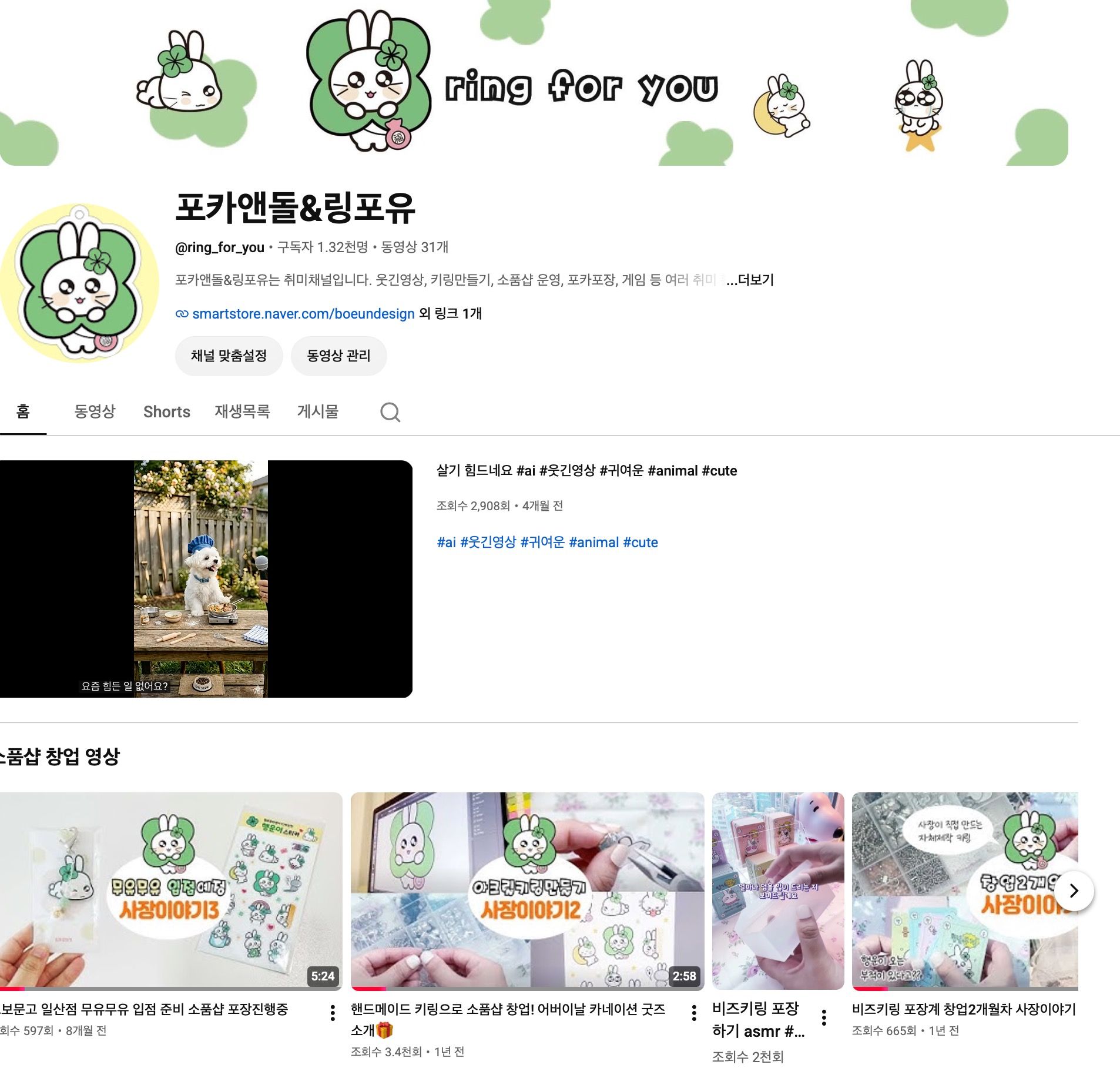
유튜브 채널 '링포유' 운영자가 직접 알려주는 초등 맞춤형 쇼츠 제작 클래스!
기획부터 컷 편집, 자막, 효과음까지! 아이 혼자서도 뚝딱 완성하는 실전 쇼츠 제작의 모든 것
수업 포인트
현직 크리에이터의 실전 노하우: 실제 채널 운영 경험을 담아,
요즘 유행하는 영상 트렌드와 제작 팁을 전수합니다.
초보자도 따라오는 단계별 커리큘럼: 복잡하고 어려운 툴 대신,
아이들이 직관적으로 다룰 수 있는 쉬운 방식으로 진행합니다.
단 1회 만에 완성하는 나만의 포트폴리오: 보는 소비자에 머무르지 않고
직접 결과물을 만드는 생산적 경험을 선물합니다.
이런 것을 배워요!
시선을 끄는 쇼츠 아이디어 기획 & 촬영 구도
어색하지 않은 매끄러운 컷 편집 요령
분위기를 살리는 자막 디자인 및 효과음 넣기
완성된 쇼츠 영상 함께 감상 및 피드백
함께 즐겁게 만들며 영상 크리에이터의 첫걸음을 떼어보아요!
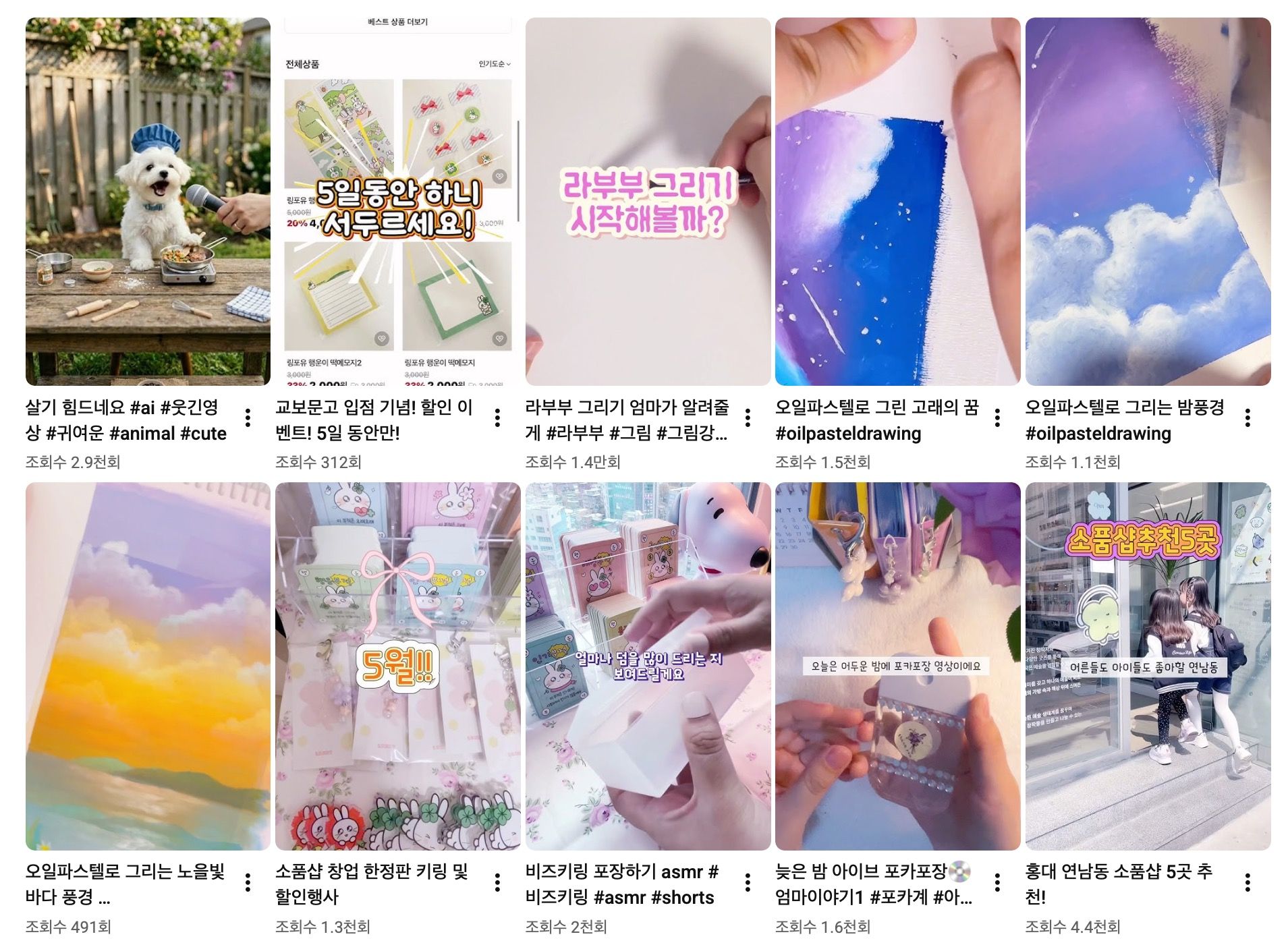
유튜브 <링포유 채널> 예시 :
🎬 40분 수업 구성
① 5분|오늘 만들 쇼츠 미리 보기
완성된 쇼츠를 먼저 보여주기
“이 영상을 어떻게 만들었을까?” 흥미 유발
② 5분|영상 편집 앱과 친해지기
영상 불러오기
필요 없는 부분 자르기
영상 순서 이해하기
③ 10분|쇼츠처럼 재미있게 만들기
영상 속도 조절하기
화면 전환 효과 넣기
필요한 부분 확대하기
④ 15분|자막 & 효과 넣기
유행하는 느낌의 자막 넣기
글자 크기와 위치 조절하기
스티커나 간단한 효과 활용하기
⑤ 5분|완성 영상 함께 감상하기
내가 만든 쇼츠 확인하기
저장 방법 안내
Curriculum
Total 6 sessions
Session 1
[기초] 1초 만에 시선 강탈! 컷 편집과 자막
어플 설치하고 로그인 하기 영상 불러오기 및 세로 화면 비율 맞추기 불필요한 숨소리, NG 장면 자르는 컷 편집(분할/삭제) 빠르게, 느리게! 배속(속도 조절)으로 리듬감 만들기 눈에 확 띄는 폰트 선택 & 글자 테두리/배경색 지정 대사 타이밍에 딱 맞게 자막 싱크 조절하기 깜빡이고 튀어나오는 자막 애니메이션 효과
Session 2
[오디오&스티커]소리만 켜도 꿀잼! BGM과 영상 위에 얹기
트렌디한 무료 음원(BGM) 추가 및 볼륨 페이드인/아웃 상황별 필수 효과음(띵, 쾅, 와우, 삐- 등) 적재적소 배치 내 목소리 녹음 또는 재미있는 음성 변조(보이스 체인저) 적용 움직이는 움짤(GIF) 및 스티커로 재미 요소 더하기
Session 3
[완성&발행] 마무리 썸네일부터 최종 추출까지! 쇼츠 발행 완전정복
장면과 장면이 부드럽고 다이내믹하게 넘어가는 트랜지션(전환 효과) 분위기를 바꿔주는 색감 필터 효과 배운 기술(컷+자막+사운드+PIP+효과) 총동원 클릭을 유도하는 가장 매력적인 대표 썸네일 프레임 설정 고화질(1080p, 60fps) 저장 및 유튜브 쇼츠 업로드 가이드 과제 안내: 4회차를 위한 '나만의 일상/취미 10초 영상 3~4개 찍어오기'
Session 4
[자체 창작] 나만의 쇼츠 기획 & 1차 컷 구성
<아이가 직접 촬영해 온 영상으로 '나만의 첫 쇼츠' 제작 시작> 초 만에 시청자를 사로잡는 스토리보드 구성법 내 영상 불러와서 하이라이트 구간만 쏙쏙 골라내는 실전 컷 편집 전체적인 영상 흐름과 길이(30초 이내) 최적화 내 영상 소스로 뼈대를 완성한 나만의 쇼츠 초안
Session 5
[자체 창작] 내 영상에 감성과 재미 더하기 (자막+사운드+효과)
<4회차 초안에 1~3회차에서 배운 고급 기술 풀가동하기> 내 개성을 담은 타이틀 자막 및 포인트 설명 자막 배치 영상 텐션에 어울리는 BGM 선택 및 결정적 순간 효과음 삽입 색감 보정 필터와 스티커로 영상 완성도 끌어올리기
Great for These Kids
권장 연령: 초등학교 3학년 ~ 중학교 1학년 (10세 ~ 14세)
유튜브나 숏폼 콘텐츠를 자주 보며 직접 만들어보고 싶은 친구
스마트폰이나 태블릿 기본 터치·조작이 가능한 친구
영상 편집을 처음 시작해 기초부터 차근차근 배우고 싶은 입문자
초등 2학년 이하의 경우 수업 진행 속도를 따라가기 어려울 수 있으니 보호자의 밀착 도움이 필요합니다.
화면 분할, 자막 싱크 조절, 파일 불러오기 등 세밀한 터치와 앱 인터페이스 이해가 필요하여 초등 3학년 이상 수강을 적극 권장합니다.
Subscription Class Information
A renewal payment for the next session is automatically processed immediately after each class ends. You may unsubscribe at any time.
If a session cannot be held due to the teacher, you will be notified by email.
The charge for any session that does not take place will be processed as 0G.
Teacher Info
Auto-translated to English.
디자이너출신 보은쌤
Reviews
0
After graduating from art college, I have worked as a designer for over 14 years, carrying out various design projects. Design is not merely about drawing beautifully; it is a process of cultivating observation skills, problem-solving abilities, creative thinking, and expressive power. Through extensive practical experience, I have learned how to guide children so they can naturally acquire the creative mindset necessary for their future lives through art. Currently, I am active as an emerging artist, maintaining my artistic sensibility as a working professional by consistently researching my work and preparing for exhibitions. Through the process of constantly researching and learning new methods of expression, I am delivering vibrant art education to children. In addition, I am a working content creator who has managed the entire process from planning to filming and editing, having created my own YouTube channel and worked as a Naver Emoticon Creator. I have accumulated practical know-how on how to compose scenes and express them visually on the new canvas of digital video, moving beyond the traditional canvas. I also create and sell emoticons on Naver OGQ, and produce merchandise for sale on Smart Store. By combining this media creation experience, I help children unfold their ideas in a three-dimensional way, utilizing video—a trendy tool—in addition to flat art. Furthermore, having obtained a Level 1 Art Therapy Instructor certification, I do not view children's artwork merely as technical results. Creations fully capture the children's thoughts, emotions, personalities, and confidence. I respect the individuality of each child and guide them warmly in a comfortable atmosphere so they can experience the joy of self-expression. The classes I pursue aim to cultivate the "power to think and express oneself" rather than simply teaching "techniques for making things well." I will be with you to help children fully express their individuality and build creative confidence.
Experience & Activities
·
Jeon Mi-sook, art class assistant teacher for 6 years
·
Conducting children's art and calligraphy classes
·
14 years of experience as a graphic designer
·
Winner of the Western Painting category at the 2026 Korea Contemporary Art Festival
·
Award Winner in the Western Painting Category at the 2026 World Peace Art Exhibition
·
Participating artists in the Gallery Flower exhibition
·
Operating the YouTube channel <Ring for You>
See Full Teacher Profile
Class Reviews
Growth Reviews for This Class